Everything DidTap does
DidTap records the moment you do everyday things, like locking the door, and shows it on your home screen with the exact time. Here is every widget and setting, and what's free.
Ready in 30 seconds with templates: Door, Meds, Stove, Pet, Lights, Windows, Car, or your own.
One task widget
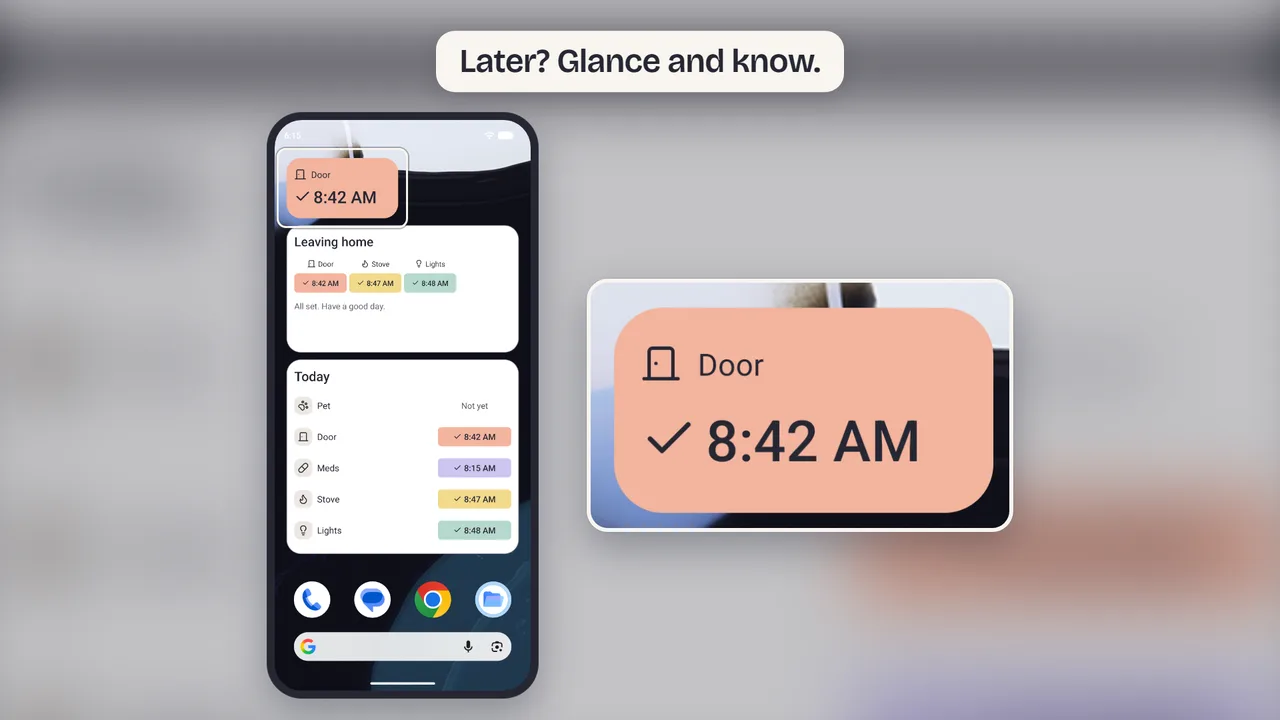
One doubt, one widget. Tap it right after you do the thing: it fills with your task's color and shows the exact time. Tap it again later and it tells you when it was done, so you don't log it twice.
Today widget
Every task you check, at a glance. Done ones show their time; the others say Not yet, and they come first.
- PetNot yet
- Door8:42 AM
- Meds9:05 AM
Leaving home widget
Up to four tasks side by side: door, stove, lights, windows. Tap each one as you go. The last line says what's still to check, and goes away when you're good to go.
- Door8:42 AM
- Stove8:39 AM
- LightsNot yet
- Windows8:40 AM
Still to check: Lights
Still to check widget
Only what's left today. When it's empty, you're done.
- LightsNot yet
Quick Settings tile
Swipe down and tap the tile. It works on the lock screen for a task that's not done yet. Long-press it to choose which task it shows.
Not yet
9:05 AM
App shortcuts
Long-press the DidTap icon to mark one of your first tasks done without opening the app.
Reminders only if it's not done
Pick up to 6 times a day, like 9 PM. Each time counts as one of your 3 free reminders. If you already tapped, DidTap stays quiet. If not, a notification lets you mark it done, or get one more nudge in 30 minutes. A task set for certain weekdays is reminded only on those days. Need it just once? Remind me once today, free. With Pro: Repeat until done, every 15 or 30 minutes or every hour, for 2 hours at most, or Keep the notification until done.
Once, several times a day, or a checklistIncluded with Pro
A task can be done once, several times a day (from 2 to 9, it shows 1/3 until it's complete), or be a checklist of 2 to 8 items. Tap a checklist on a widget, a tile or a tag and tick what you did, or Mark all done.
Undo, already done, and fixing the time
A tap in the app, on a widget or on a tag can be undone for 5 seconds. Tap a task that's already done and DidTap shows when it was done instead of logging it twice. Forgot to tap? Add a past entry, or change the time.
A note on an entry
Add a short note to any entry, up to 200 characters, like "left the key with the neighbor". Notes stay in the app, never on your widgets.
A day that starts at 4 AM
Tasks start over at 4:00 AM, not at midnight, so a late night still counts as today. You can change the start of the day in Settings.
History
Each task has its own page: Week, Month or All, with the number of entries, the days with an entry and your usual time. The History tab lists every entry, day by day, with search. No charts, no streaks. Free shows the last 7 days; older entries are kept, and Pro shows them all.
Custom rhythmsIncluded with Pro
Daily by default. With Pro: any interval from 15 minutes to 72 hours, every few days, or certain weekdays only.
Time since, if you want it
The exact time always stays. Turn on Show time since to add how long ago it was.
Colors that mean done
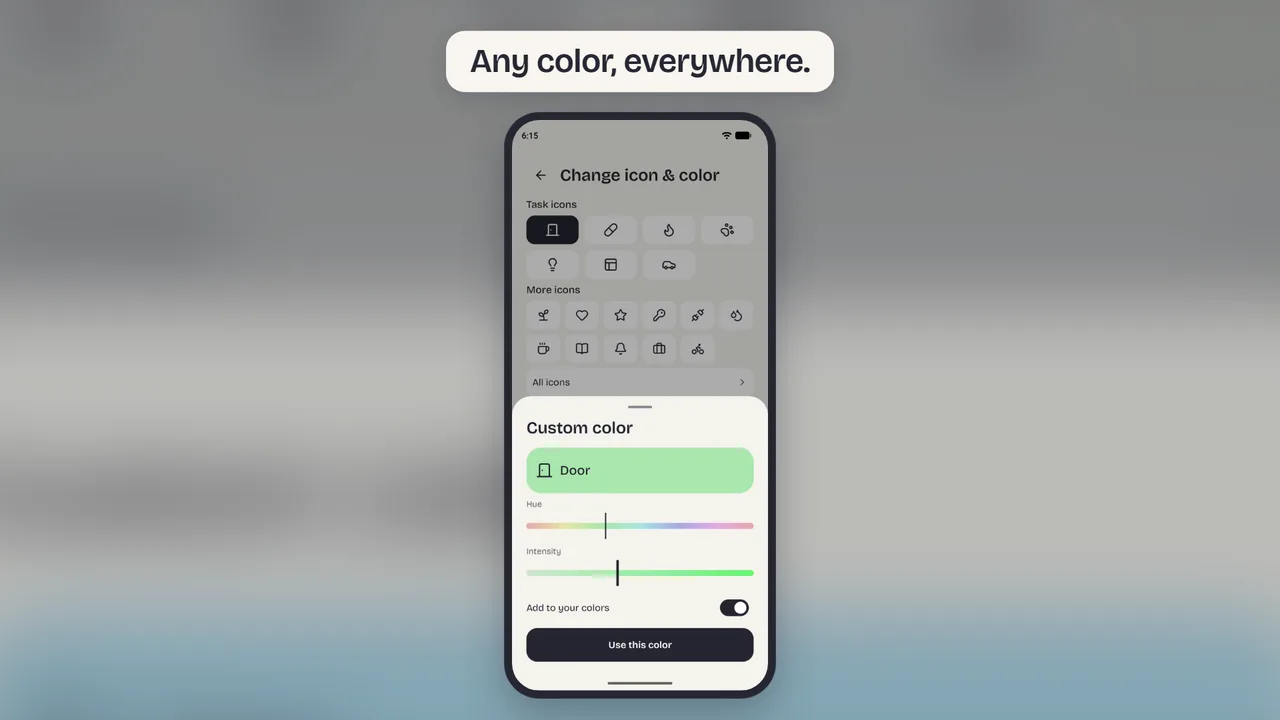
Eight calm colors, one per task, that only show up when something is done. On Android 12 and up, match your wallpaper colors. Pro adds task colors, 1,800+ icons and widget transparency.
Organize
One tab to put your tasks in order by drag and drop or sort them once, gather them in groups, and manage your tags and labels. The Today and Still to check widgets can follow a group: new tasks in it show up by themselves.
Backup and new phones
Turn on automatic backup to a folder you choose: DidTap saves a file there once a day when something changed. You can also export everything to a file and import it later. Android also backs DidTap up with your Google account. DidTap Pro follows your Google Play account.
Private by design
No account, no ads, no analytics. Your tasks and history never leave your phone.
13 languages
DidTap follows your phone's language, or the one you pick in Settings: English, French, Spanish, German, Italian, Portuguese (Brazil), Dutch, Polish, Turkish, Indonesian, Japanese, Korean and Chinese (Simplified).
DidTap in 43 seconds
Read the text of the video
- Did I lock the door?
- Tap once, right after.
- Later? Glance and know.
- The exact time, every time.
- Door, Meds, Stove, Pet…
- Right on your home screen.
- One tap from Quick Settings.
- A nudge, only if not yet.
- Every tap, with its time.
- Light and dark, like your phone.
- No account. No tracking.
- DidTap. Stop wondering. Glance and know. Get it on Google Play.
DidTap Pro in 38 seconds
NFC tags, QR labels, checklists, your own rhythms and more. DidTap Pro is a one-time purchase: pay once, yours forever. NFC tags need a phone with NFC.
Read the text of the video
- Make DidTap yours.
- An NFC tag by the door.
- Or a printed QR label.
- Checklists, several times a day.
- Your rhythm, not just daily.
- Several reminders a day.
- Your whole history, month by month.
- Any color, everywhere.
- 1,800+ icons.
- See-through widgets.
- DidTap Pro. Pay once, yours forever. Get it on Google Play.